Python raster functions are custom scripts that can be used to process and analyze raster data within ArcGIS. While ArcGIS provides a comprehensive suite of built-in raster functions, certain analytical requirements may necessitate custom implementations. These custom functions, developed in Python, can be integrated into raster function chains to extend the analytical capabilities of standard raster analytics.
In ArcGIS Enterprise 11.5, a new administrative API has been introduced to streamline the registration, deployment, and management of custom Python raster functions. This API provides a straightforward interface for administrators to manage custom functions across their enterprise environment.
For detailed information on utilizing this administrative API, refer to the ArcGIS Enterprise documentation.
Packaging requirements for custom Python raster functions
To successfully deploy a custom Python raster function in ArcGIS Enterprise, ensure the following prerequisites are met:
- Required files
- Raster function template (.rft.xml)—Defines the raster function chain and references the associated Python script.
- Python script (.py)—Contains the implementation on the custom raster functions.
Both files must be included in the deployment package.
- Naming conventions
- Consistency—The name of the Python script must match the name specified in the raster function template file.
- Valid characters—File names should start with a letter and can include letters, numbers, and underscores.
Caution:
Avoid using special characters of starting names with numbers.
- File path specification
In the raster function template, reference the Python script using the [functions] prefix followed by the relative path. For example:
[functions]Custom\Subfolder\script_name.py
The syntax ensures that ArcGIS locates the script within the designated functions directory.
- Directory structure
Organize the files in the subfolder following the file path directory you specified in the raster function template. For instance:
"PythonModule": "[functions]Custom\\Tree_Health.py"
For this example zip file, the contents should contain the rft file and the Python file.
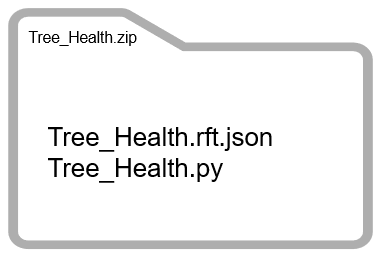
Conceptual graphic of folder contents. - Deployment package
Compress the subfolder containing the .rft.xml and .py files into a .zip archive. This package can be registered and deployed using the administrative API introduced in ArcGIS Enterprise 11.5.
Deploying a custom Python raster function in ArcGIS Enterprise
To deploy a custom Python raster function in ArcGIS Enterprise, follow these steps:
- Access the Administrator API directory
- Navigate to the ArcGIS Enterprise Administrator API directory.
- Sign in using an account with administrative privileges.
- Register the custom raster function
- In the Administrator API directory, go to Services> Types.
- Select Custom Raster Functions.
- Click Register button.
- Use the Choose File option to browse and select the .zip file containing your custom raster function.
- Click Register to complete the registration process.
- Verify registration
- Upon successful registration, the custom raster function will appear under Registered Custom Raster Functions in the Administrator API Directory.
- Access the Registered Function in the portal
- Sign in the ArcGIS Enterprise portal
- Navigate to My Content or My Organization to locate the registered custom raster function template item.
- Utilize the Custom raster function
- The registered custom raster function can now be used similarly to system-provided raster function templates.
- It can be incorporated into raster processing workflows using tools like the Raster Function Editor.